
Public launch coming soon
Finish your notes before you finish your shift.
Brief Kevin the way you'd brief a trusted colleague, and your AI personal assistant plans the visit, drafts the note, and writes the orders and documents.
A complete brief
s/p L TKA, staples out, needs PT order and RTW note
The full feature preview is open while practice onboarding remains by request.
Clinician-led
Built by a practicing orthopedic surgery PA.
Web + iOS
Dictate from the browser or your phone.
BAA-covered AI
No PHI sale or model training.
How it works
Brief it like you’d brief a trusted colleague.
Kevin was designed by a practicing PA to work the way your best people do — an experienced MA or scheduler one minute, a fellow MD, DO, PA, or NP the next. Give it just enough to get the job done, and the agent figures out the rest while you stay focused on the patient.
Your brief · pick one
Kevin drafts
Review Ready · 4/4
- Exam NoteReview Ready
- PT OrderReview Ready
- Work NoteReview Ready
- Patient EducationReview Ready
One brief in, four drafts queued for your signature. Nothing is final until a licensed clinician signs it.
The whole loop, every visit.
No templates to build and no training course. If you can hand work to a colleague, you can run Kevin.
1
Give Kevin the one-liner
Dictate or type the visit the way you’d hand it to a trusted colleague, from web or iOS. “s/p L TKA, staples out, needs PT order and RTW note” is plenty.
2
The agent plans & drafts
Kevin figures out what the visit needs — note, orders, documents — and drafts it all on the latest Gemini and GPT models under signed BAAs.
3
You review & sign
Everything lands in your queue as Review Ready. Edit what needs editing, sign what’s right — nothing is final until you say so.
4
Paste into your EHR
Copy clean, formatted text straight into your EHR, or export to PDF, Word, or plain text. No integration required.
Inside the app
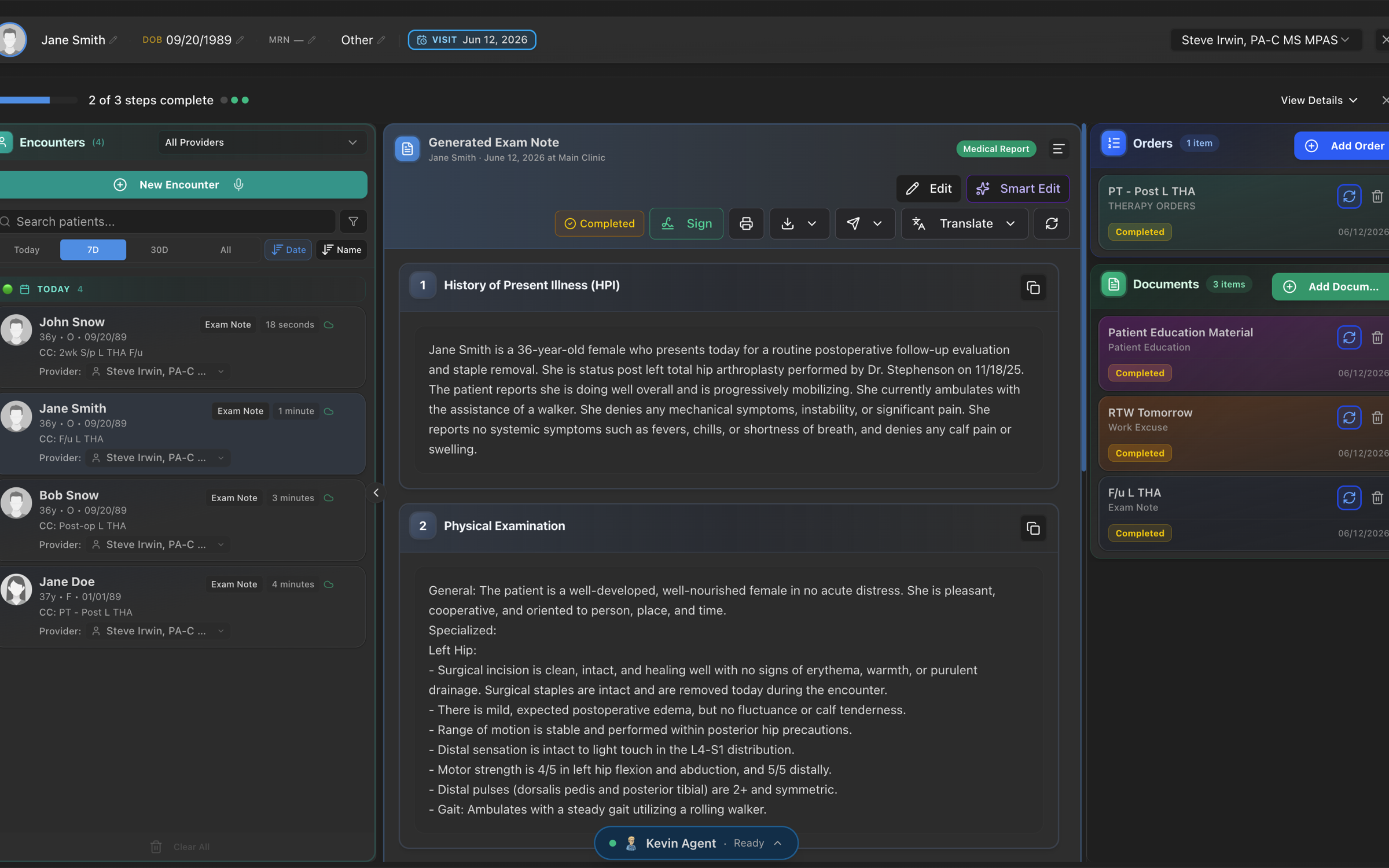
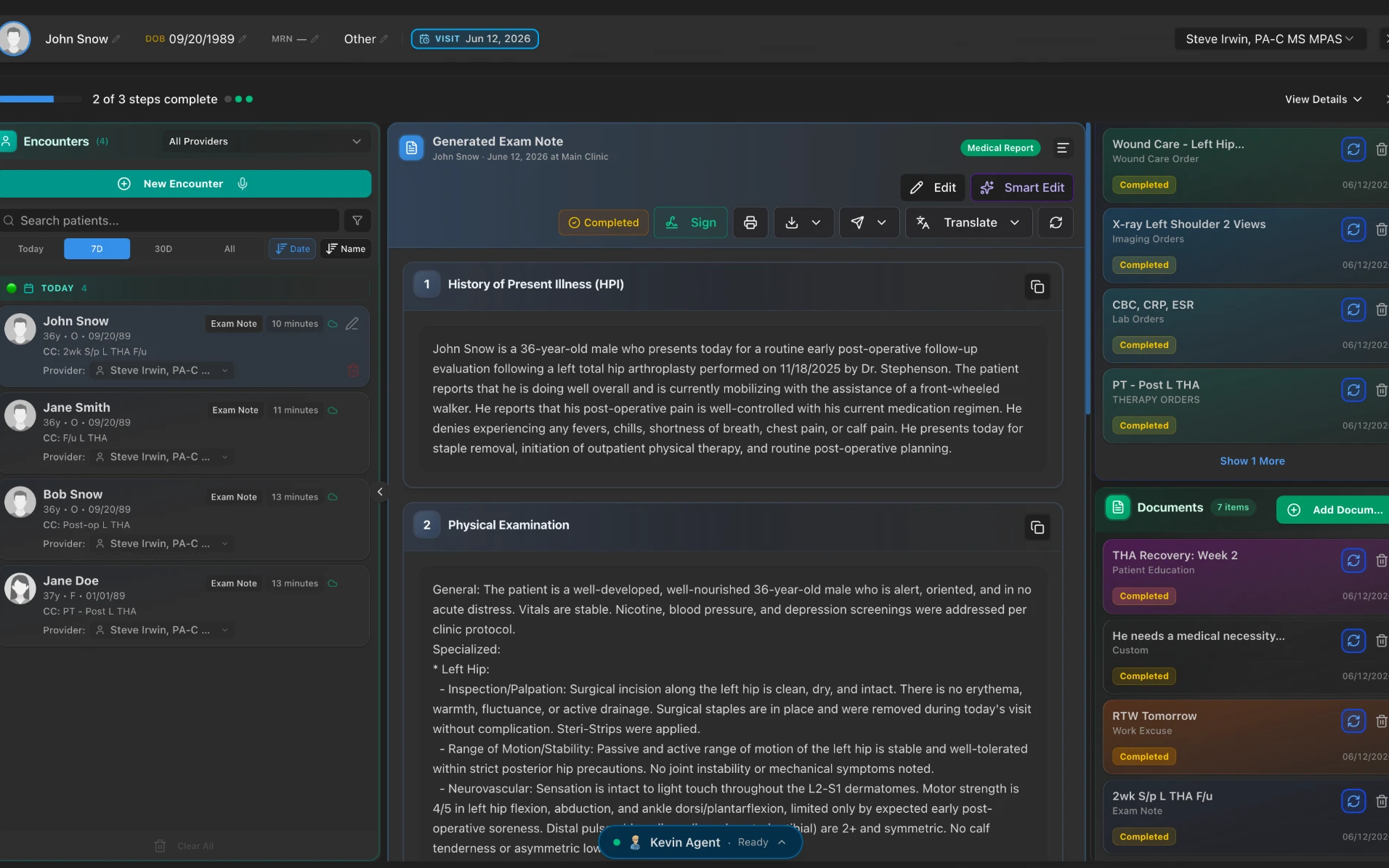
Real screens from the Kevin workspace.
These are the actual tools clinicians use every day — from the first dictation to the routed task.
One quick brief becomes a complete exam note — HPI, physical exam, and plan — with the visit’s orders and documents drafted right alongside it.
Kevin for iOS
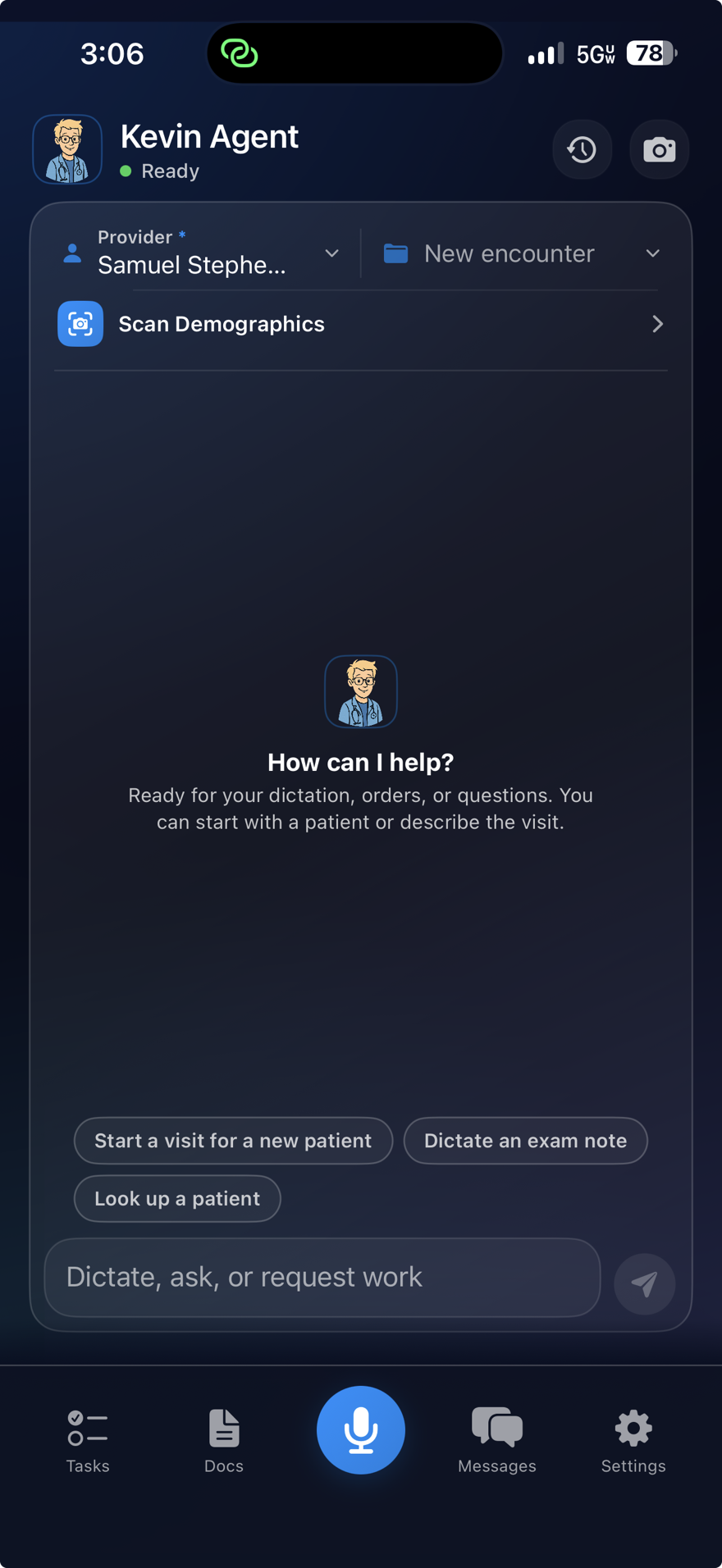
The same workspace, in your pocket.
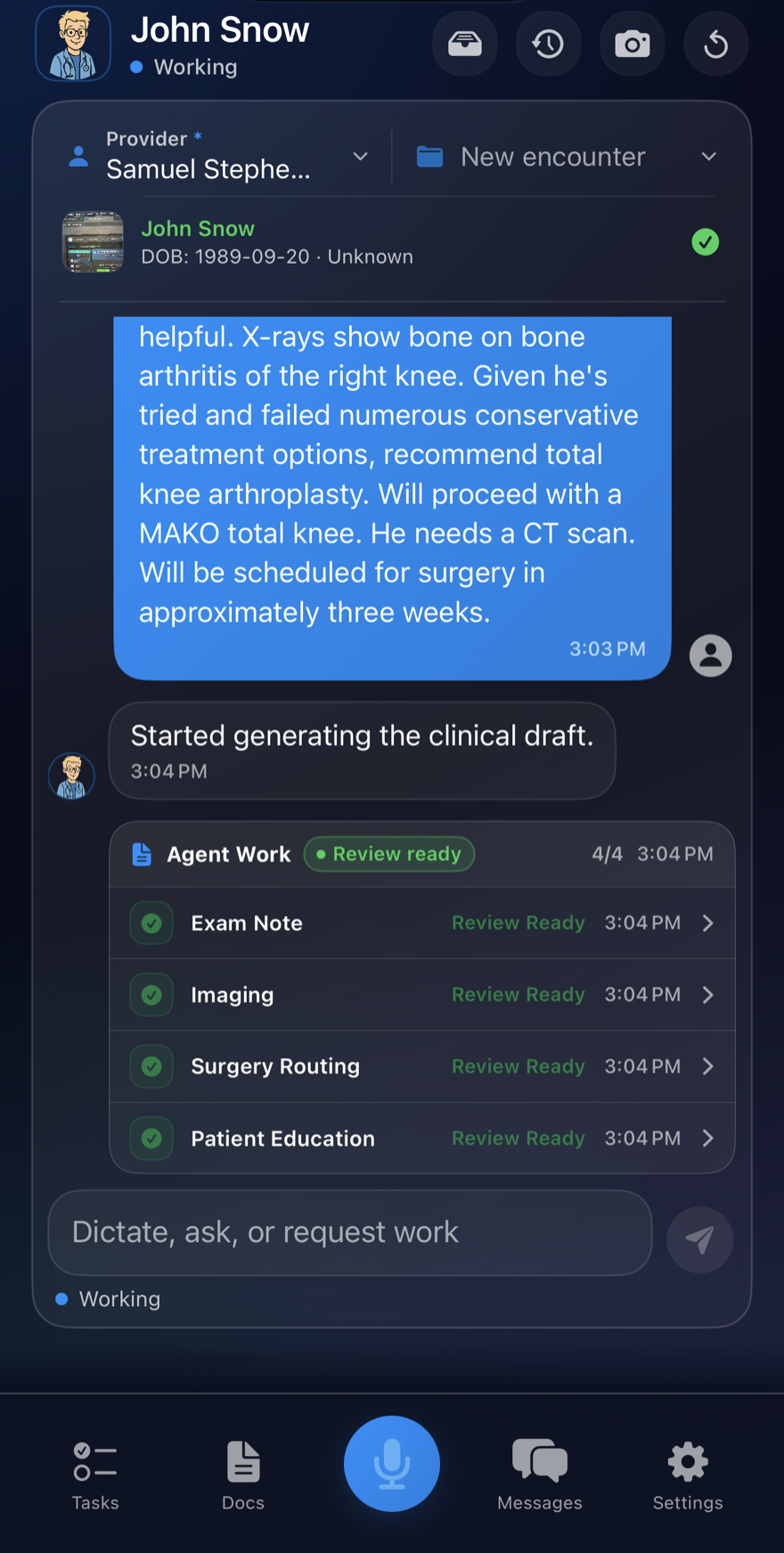
Dictate at the bedside, ask the agent for the visit's work, and watch it queue up Review Ready drafts — then sign from wherever the day takes you. Your practice gets its own branded sign-in at its own address.
- Dictate from anywhere
- Review Ready on the go
- Your own practice address
One dictation. Every artifact.
Describe the visit once and Kevin drafts the whole paper trail — here are the highlights.
Clinical notes
- Exam notes
- Consult notes
- Op reports
Orders
- Physical therapy
- Imaging
- Labs
- DME
- Referrals
- Wound care
Patient documents
- Patient education
- Work & school excuses
- Custom letters
Surgery
- Surgery router
- Billing sheets
- ICD-10 + CPT codes
…and the list keeps growing. Every artifact lands as Review Ready — nothing is final until a licensed clinician signs it.
The same workspace also handles image intake with OCR, inbound and outbound fax, and task operations.
Why Kevin exists
You became a clinician to help people.
Not to spend hours documenting after everyone else has gone home.
~2 hrs
Of documentation after hours, daily
Office-based physicians with EHRs average 1.84 hours of charting outside office hours — every day.
49%
Of the office day on EHR & desk work
A landmark time-motion study found just 27% of the day went to face time with patients.
1 in 2
Physicians report burnout
Charting and paperwork are the #1 cited contributor, year after year.
Sources: Gaffney et al., JAMA Intern Med (2022) · Sinsky et al., Ann Intern Med (2016) · Medscape Physician Burnout Report (2025)
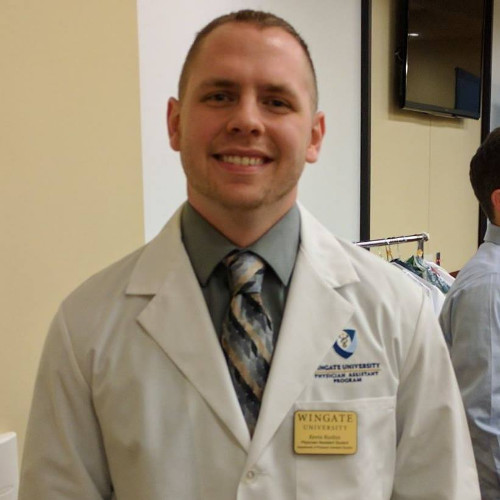
Kevin Rushin, PA-C, M.S., MPAS
Founder & CEO, Rushin InTegrations
“Kevin! is about the work, not the founder story. I built it because clinical teams deserve admin tools that understand the way clinic actually moves: fast, interruption-heavy, shorthand-driven, and always under clinician review.”
Kevin! was built by someone who knows both sides of the problem: software systems that have to work, and clinic days where the admin load cannot wait. It is not about replacing what you do; it is about giving you the time to do it well.
Kevin! is not a generic wrapper around a model. It is clinical software led by a practicing orthopedic surgery PA who has run high-volume orthopedic workflows, supported trauma services, and built technology-enabled clinical processes. The current focus is simple: make clinical admin work easier, safer, and more reliable. The product keeps improving because it is used, tested, and challenged in real practice workflows.
Security
Security posture in plain language.
Kevin! keeps the BAA, data-handling, encryption, and clinician-review details visible for procurement and security review.
Visit the trust centerClinical data handling
- Signed BAAs with Google and OpenAI for AI processing
- Runs on SOC 2 Type II–audited, BAA-covered infrastructure
- PHI and clinical inputs are kept confidential and are not sold
- Covered AI inputs are not used to train general-purpose models
- TLS 1.2+ in transit and AES-256 encryption for stored data on our side
- Licensed clinician review remains required before clinical use
Built on Google Cloud Run · Firebase · Vertex AI (Gemini) · OpenAI
Plans
Start with one workflow. Scale when it proves itself.
Pricing is scoped to your practice during a short consultation — no per-seat surprises. Ready now? The Practice plan is self-serve, and most practices are live within a business day.
Pilot
Prove one workflow
- Guided setup
- Demo practice environment
- Clear workflow success criteria
- Security and BAA review
Practice
Self-serveRun the clinic workflow
- Per-practice deployment
- Web and iOS access
- Documentation, orders & routing
- Onboarding support
Enterprise
Scale across teams
- Custom rollout plan
- Admin and audit workflows
- Integration planning
- Security review support
Your path from pilot to rollout
1
Discovery
Pick the first workflow: exam notes, surgery routing, patient education, orders, or fax intake.
2
Pilot
Configure a practice environment, confirm BAA requirements, and define what success looks like.
3
Validation
Run real review workflows with licensed clinicians approving every generated artifact.
4
Rollout
Expand to team workflows, mobile capture, fax workflows, and admin oversight.
Early access
Kevin is launching soon. Request access for your practice.
The feature preview is public while onboarding stays controlled. Tell us about your practice and the workflow that hurts the most. We'll follow up to scope a compliant pilot — no PHI required.
- No patient details or PHI requested
- Scoped to your practice and timeline
- Direct line to the team that built Kevin
FAQ
Answers before the call.
The essentials clinicians and administrators ask first. Anything else, we're a message away.
Is Kevin! HIPAA compliant?
Kevin is designed for HIPAA-regulated workflows. We have signed BAAs with Google and OpenAI for AI processing, and we sign BAAs with covered entities. PHI and clinical inputs are confidential, are not sold, and are not used to train general-purpose models. Data on our side is encrypted with TLS 1.2+ in transit and AES-256 at rest, on SOC 2 Type II–audited infrastructure.
How much detail does Kevin need?
Just enough to get the job done. Kevin was designed by a practicing PA to take a brief the way a trusted colleague would — an experienced MA or scheduler, or a fellow MD, DO, PA, or NP. "s/p L TKA, doing great, staples out, needs PT order and RTW note" is a complete brief. The agent works out what the visit needs and drafts it; you add detail only where it matters clinically.
How accurate is it, and do I stay in control?
Kevin understands medical terminology, drug names, and clinic shorthand — s/p, WBAT, ROMAT, f/u — out of the box. You still review everything before it is final — that is the point. Nothing leaves Kevin until a licensed clinician approves it.
How do I get my notes into my EHR?
Copy and paste. Kevin outputs clean, formatted text that drops straight into your EHR note field. You can also export to PDF, Word, or plain text. No complex integration required.
What specialties does Kevin! support?
Built by a practicing orthopedic PA, but designed for any specialty. Primary care, urgent care, emergency, surgery — Kevin adapts to your documentation style and specialty terminology.
Who built Kevin!?
Kevin was built by Kevin Rushin, an NCCPA-certified orthopedic surgery PA with orthopedic trauma experience across high-volume clinic and Level I/II trauma settings, plus a prior software background. That context matters because Kevin is shaped around real workflows with feedback from the people who have to trust it during a busy day: clinicians, assistants, schedulers, and administrators.
How long does it take to learn?
About five minutes. Open the browser or iOS app, talk the way you normally would, and review the output. There is no training course and no certification — if you can hand work to a colleague, you can run Kevin.
What does Kevin! cost?
Less than the cost of staying late to finish charts. Pricing is straightforward and based on usage. Reach out and we will give you real numbers scoped to your practice — not a sales pitch.
Kevin is launching soon for clinical teams.
Browse the full feature set, preview the demo, or request early access for a focused pilot.